🚀 New feature alert: Web-booker for ride-hailing and taxi operations
February 9, 2026
min. read

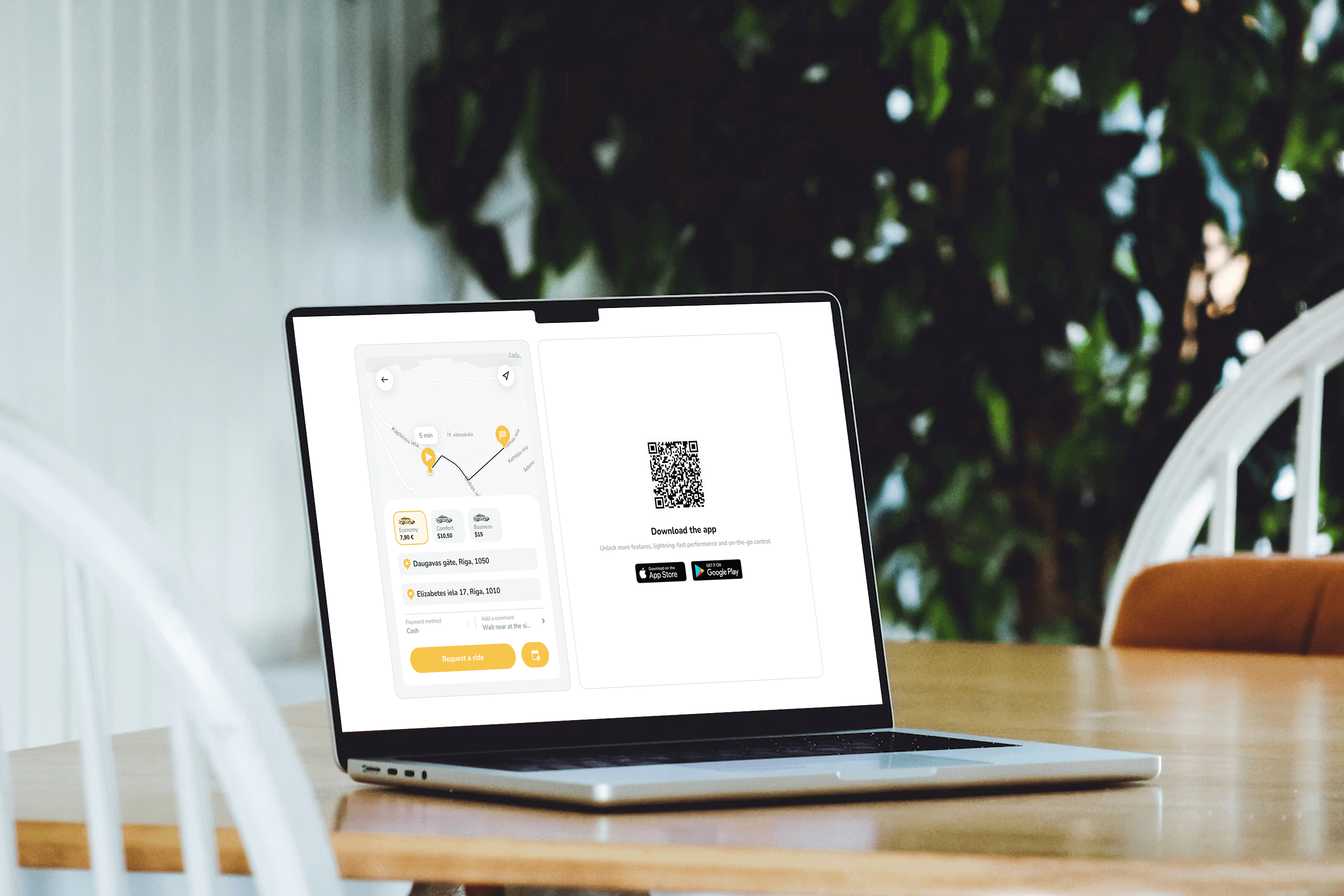
What if ordering a taxi was as easy as booking a room or clicking “Reserve table” on a website?
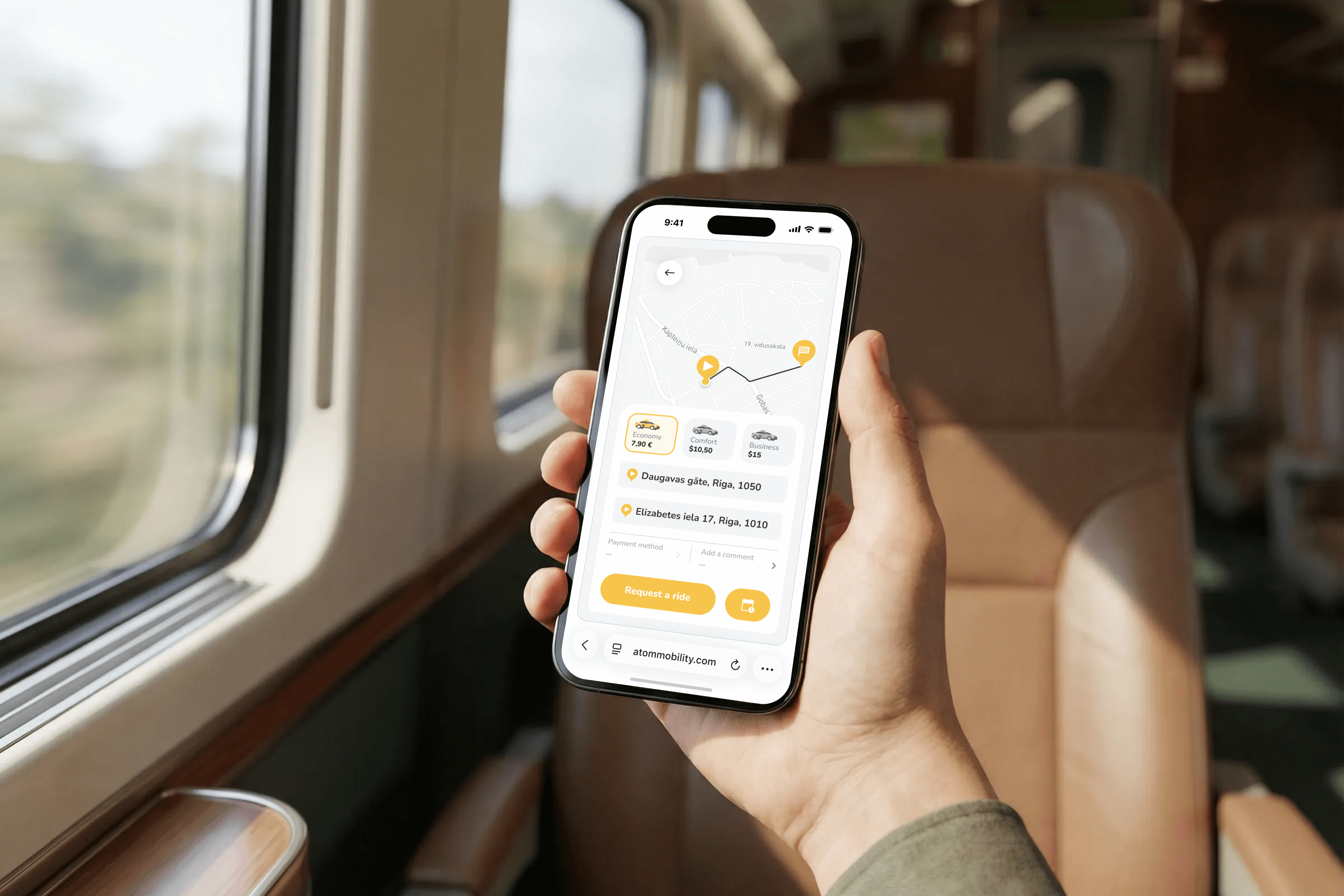
Meet Web-booker - a lightweight ride-hail booking widget that lets users request a cab directly from a website, without installing or opening the mobile app.
Perfect for hotels, business centers, event venues, airports, and corporate partners.
👉 Live demo: https://app.atommobility.com/taxi-widget
Web-booker is a browser-based ride-hail widget that operators can embed or link to from any website.
The booking happens on the web, but the ride is fully synchronized with the mobile app and operator dashboard.
No redirects. No app-store friction. No lost users.
This keeps fraud low while preserving conversion.
Web-booker addresses one of the most common friction points in ride-hailing: users who need a ride now but are not willing to download an app first. By allowing bookings directly from a website, operators can capture high-intent demand at the exact moment it occurs - whether that is on a hotel website, an event page, or a partner landing page.
At the same time, Web-booker makes partnerships with hotels and venues significantly easier. Instead of complex integrations or manual ordering flows, partners can simply place a button or link and immediately enable ride ordering for their guests. Importantly, this approach does not block long-term app growth. The booking flow still promotes the mobile app through QR codes and store links, allowing operators to convert web users into app users over time - without forcing the install upfront.
Web-booker is not designed to replace the mobile app. It extends the acquisition funnel by adding a low-friction entry point, while keeping all bookings fully synchronized with the operator’s app and dashboard.
👉 Try the demo
https://app.atommobility.com/taxi-widget
Want to explore a ride-hail or taxi solution for your business - or migrate to a more flexible platform? Visit: https://www.atommobility.com/products/ride-hailing
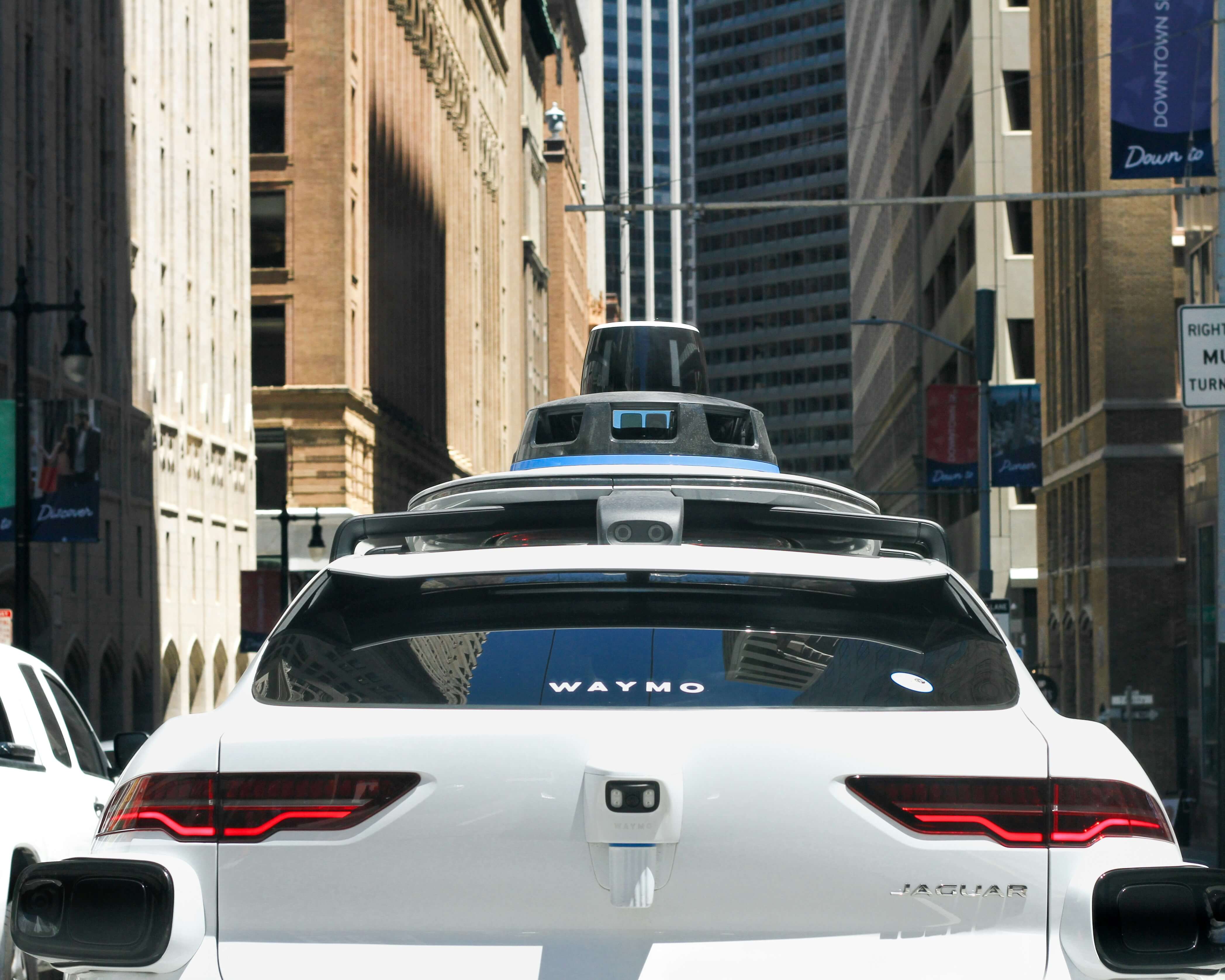
🤖 Who will actually operate Europe’s robotaxi fleets? Autonomous driving may remove the driver, but it doesn’t remove the work behind the car. Robotaxis still need charging, cleaning, maintenance, depots, customer support and someone managing the fleet every day. Early projects in Zagreb, Madrid and London illustrate different stages of deployment and how AV technology providers, fleet operators and booking platforms can work together. Taxi, rental and car-sharing companies already handle many of these tasks. What would it take to turn that experience into an autonomous fleet business?
For a taxi fleet owner, autonomous vehicles may seem to remove the most important part of the current business – the driver. But even without drivers, someone still needs to take care of the cars. They need to be owned or financed, charged, cleaned, inspected and repaired. Someone also needs to manage depots, deal with incidents, help customers and make sure enough cars are available.
The first robotaxi services and tests in Europe are already showing how this could work. The company that develops the autonomous driving technology does not always own or operate the cars. The app where customers book their rides may come from another company too. This could leave an important role for taxi, rental, car-sharing and other fleet companies that already know how to manage vehicles.
A taxi company today manages both cars and drivers. Drivers need to be recruited, scheduled, paid and supported. With a driverless fleet, these tasks would eventually disappear, but most of the work related to the cars would stay.
Autonomous cars still need charging or refuelling, cleaning, tyres, inspections, repairs and insurance. They also need somewhere to park when they are not working. If there is an accident or a technical problem, someone needs to deal with it and get the car back on the road. Customer support is still needed too when there are problems with bookings or payments, or when someone leaves something in the car.
Some of these tasks may even become more important. Robotaxis are expensive, and every hour a car spends charging, being cleaned or waiting for maintenance is an hour when it cannot take passengers. Moove, for example, already provides fleet ownership, depots, charging, maintenance and 24/7 operations for autonomous vehicles.
Drivers also do more than drive: they notice damage, report faults, help passengers and respond when something goes wrong. Without a driver, these responsibilities need clear processes and dedicated support. Existing fleet experience is an advantage, but operators will need to adapt it to vehicles running without someone behind the wheel.
There can be several companies behind one robotaxi ride. One provides autonomous driving technology, another may own the cars, and a local company can take care of the fleet. A platform such as Uber can then connect the cars with passengers. Sometimes one company may do several of these things, but this is not always the case.
Zagreb is one example. Pony.ai provides the autonomous driving system, Verne owns and operates the fleet, and Uber connects it with customers through its app. Autonomous rides became commercially available through Uber in August 2026 with a licensed operator onboard. On 10 September, Pony.ai and Verne also started fully driverless passenger test rides on a 22-kilometre route connecting parts of Zagreb with the airport. These are still limited test rides, not a fully driverless service across the whole city.
A similar model is being tested in Madrid. WeRide, Uber and AVOMO received permission in September 2026 to start testing and mapping under Spain’s ES-AV framework. The first 20 vehicles have an onboard specialist. WeRide provides the autonomous technology, Uber connects the cars with passengers, and AVOMO takes care of fleet operations. Commercial operations are planned for later in 2026, but the current permit is for testing and preparation rather than a general driverless taxi service.
In London, Wayve and Uber launched supervised autonomous passenger rides in September 2026. Customers can be matched with an autonomous vehicle through the Uber app, but there is still a licensed driver in the car.
The plans for the next few years are already much bigger. Pony.ai and Uber announced in August 2026 that they plan to deploy more than 2,000 robotaxis in Europe, starting with Zagreb and later expanding to four more European cities.
Bolt and Lucid announced another partnership in September, with Bolt aiming to deploy at least 25,000 autonomous Lucid vehicles across European cities. This is a future target, not 25,000 cars already operating today.
How these fleets are owned and operated may also be different from one city to another. Local regulations, available vehicles, charging and depot infrastructure and partnerships will all have an effect on how each service is set up.
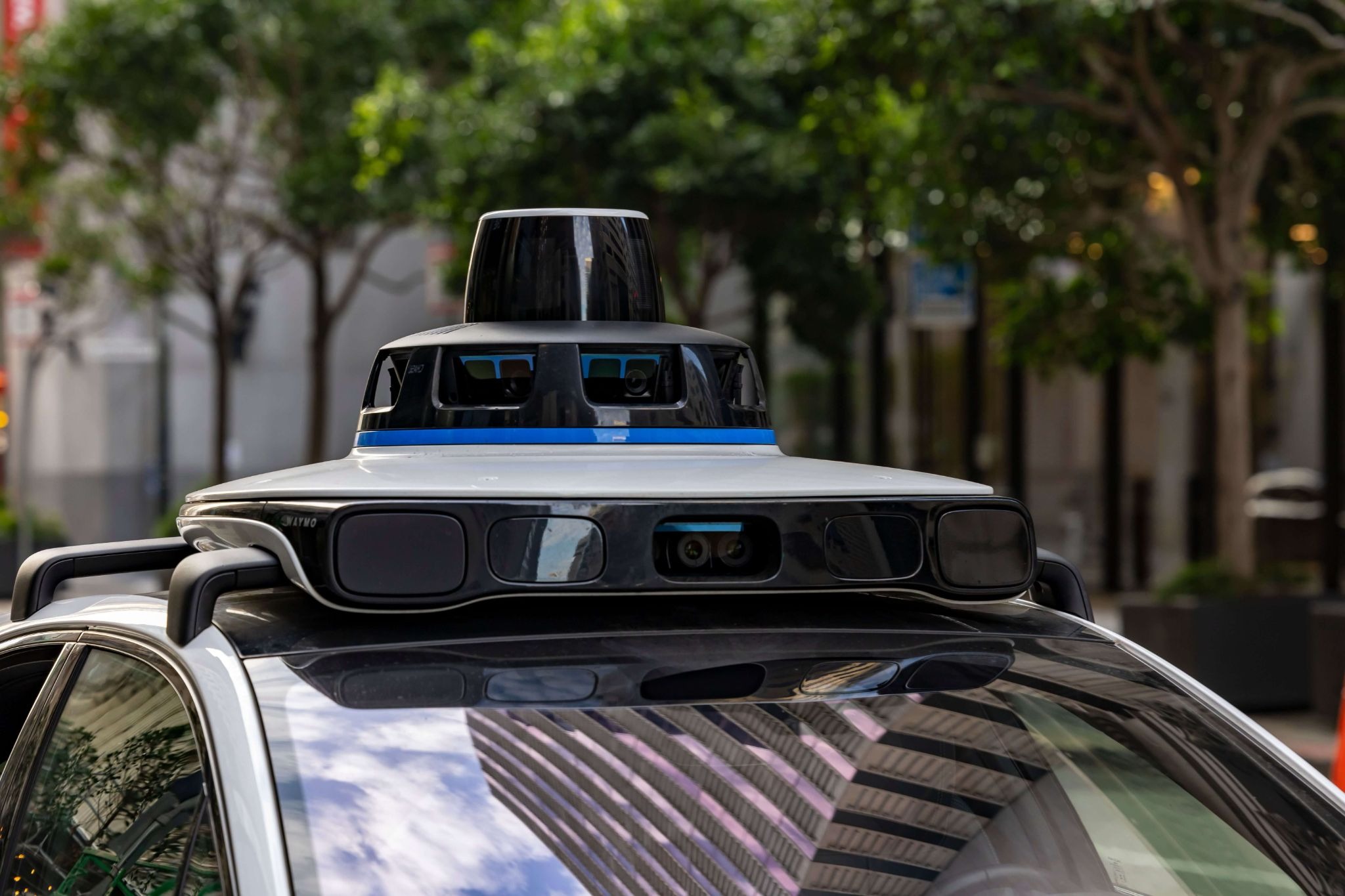
Taxi companies already do many of the things that would still be needed with an autonomous fleet. They maintain cars, deal with insurance and incidents, provide customer support and make sure enough vehicles are available. Some also already have their own depots, charging infrastructure or maintenance partners.
One possible model can already be seen in Zagreb. A local company owns and operates the autonomous fleet, while a larger ride-hailing platform brings customers. In the future, an existing taxi company could potentially have a similar role. Instead of managing cars and drivers, it could manage autonomous cars that receive bookings through a larger platform.
This does not mean platforms such as Uber will always rely on other companies to own the cars. Uber’s 2026 agreement with Rivian includes up to $1.25 billion in milestone-dependent investment and says that Uber or its fleet partners may purchase the autonomous vehicles. Uber is also developing infrastructure for autonomous fleets. Different ownership models are therefore possible.
Autonomous vehicles could also become interesting for rental and car-sharing companies, although this is probably further in the future. These businesses already manage vehicles, maintenance, cleaning, charging, bookings, customer accounts and payments, so much of the practical work is similar.
Autonomous driving could also change how rental and sharing cars are moved. Today, an employee may need to drive a car from one location to another. In the future, the vehicle could potentially do this itself within an area where autonomous driving is approved. It could even become possible for a rental car to drive itself to a customer’s pickup point.
Without drivers, it becomes especially important to understand how much time each vehicle is actually working. Every hour spent charging, being cleaned, waiting for maintenance or simply sitting unused means less time carrying paying passengers.
Some useful KPIs could be available hours per vehicle, paid trips per vehicle each day, revenue per available vehicle/day, empty kilometres, charging and maintenance downtime, cost per trip and incidents that need human help. These are most popular robotaxi industry KPIs of what a company could measure during a pilot.
For example, if cars spend too much time waiting to charge, the charging setup may need to change. A lot of empty kilometres could mean the cars are not in the right places, while too much maintenance downtime could make a vehicle more expensive to operate.
For either model, the business case depends on the partnership terms: who finances the vehicles, who carries the risk when demand is low, and how revenue and operating costs are shared. Operators should assess what remains after vehicle financing, insurance, charging, maintenance and partner fees. Depots, local service teams and reliable fleet availability could make an operator a valuable partner, but profitability still needs to be demonstrated.
One option for taxi fleets would be to work with an autonomous driving company and a larger ride-hailing platform. The local company could own or manage the cars and take care of the fleet, while customers book their rides through the larger platform.
Another option could be possible in cities where large ride-hailing platforms are not present or have limited coverage. A local company could work with an approved AV provider while using its own app, bookings, payments, customer support and fleet management.
In both cases, a company cannot simply buy autonomous cars and start offering rides. The technology needs to be approved, and local rules have to allow the service. These rules will also be different across Europe. Great Britain, for example, introduced its Automated Passenger Services permitting framework in 2026. Services similar to taxis or private hire vehicles need consent from the relevant local authority, while responsibility for the autonomous driving technology and the passenger service are treated separately.
A company does not need to have autonomous cars today to start preparing. A good first step is understanding the current fleet in detail – what each vehicle costs, how many hours it is available, how much time it spends charging or being repaired, and when cars are used the most.
Charging, cleaning, maintenance and depot processes are also worth looking at because all of these will still be needed with autonomous vehicles. A company interested in an AV pilot can then choose a location and use case, look at the local permit process and start talking to autonomous driving technology providers.
The software will also need some preparation. Customers still need to book and pay for rides, while the company needs fleet information, customer support, reporting and connections between its own systems and the AV technology. Starting with a small pilot makes it possible to test all of this before trying to build a larger service.
ATOM Mobility already provides many of the software functions used by taxi, ride-hailing, rental and sharing companies, including customer apps, bookings, payments, fleet management, maintenance tasks, analytics and APIs. Its ride-hailing software includes passenger and driver apps, dispatch, payments, fleet data, analytics and integrations. The ATOM Mobility API can also exchange data about vehicles, bookings, rides, payments, telemetry and maintenance tasks.
ATOM Mobility does not provide autonomous driving technology. This would come from a specialised AV company, and each project would have its own technical requirements and local approvals. For an AV pilot, ATOM Mobility could work with the fleet company and AV provider on the rider experience, integrations, fleet management and the data needed to measure how the pilot is working.
If you operate a taxi, rental or sharing fleet and want to explore an AV pilot, ATOM Mobility can help plan the booking and fleet-management setup, integrations and metrics you would need to test together with an AV technology partner.
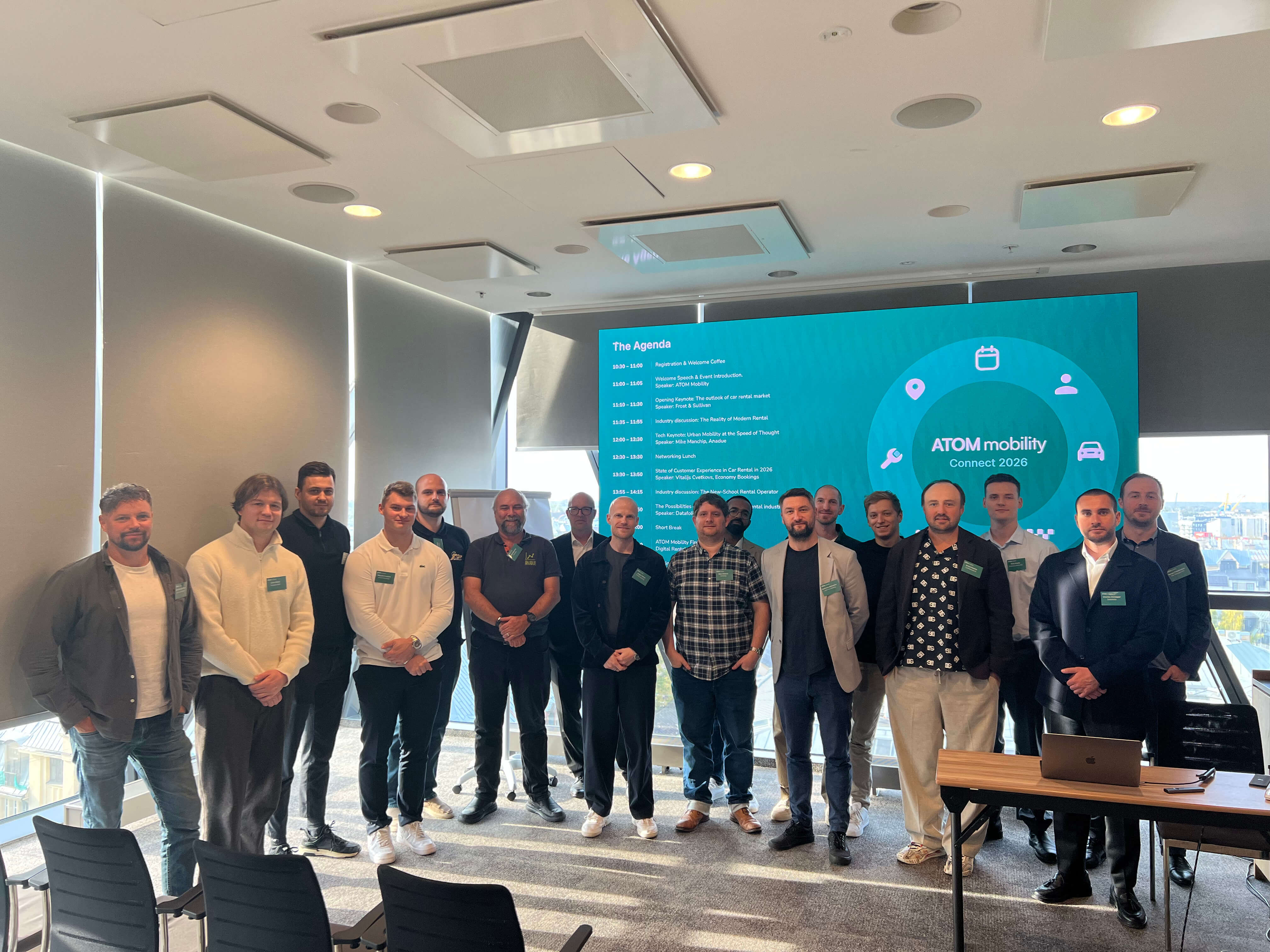
ATOM Connect Rental 2026 brought rental operators, aggregators, and technology partners together in Riga on October 8 to discuss the future of vehicle rental. Key topics included margin pressures, customer friction, data-driven fleet decisions, insurance, and keyless operations. The central takeaway: growth depends on improving customer experience and fleet efficiency, with practical steps operators can take today.
On October 8, 2026, we gathered on the panoramic top floor of the AC Hotel by Marriott in Riga for ATOM Connect Rental 2026.
Following the community-first approach of our past mobility summits, our goal for this edition was simple: avoid the noise, generic pitches, and sales booths of conventional trade shows. Instead, we brought together an intimate room of car rental operators, regional franchise managers, aggregators, and technology pioneers to have an open, unfiltered conversation about where vehicle rental is heading and what it actually takes to get there.
The day’s agenda reflected that intent. Rather than treating digitization as a buzzword, the sessions explored the operational realities of the industry: from global macroeconomic forces to the high-stakes friction points at the physical rental desk.
Here is a recap of the key discussions, industry data, and takeaways from the summit.
Opening the morning keynotes, Frost & Sullivan set the strategic foundation by examining how vehicle rental is shifting from an asset-heavy model to a digitally enabled, flexible mobility ecosystem.
Their analysis highlighted three forces currently reshaping the industry:
The main takeaway from their presentation was clear:
"The winners will not simply manage more vehicles - they will manage the customer, fleet, and ecosystem more intelligently."
Looking ahead, Frost & Sullivan stressed that future value will come from experience-led rental models (low-touch, personalized journeys), commercial and LCV subscriptions, and ecosystem partnerships that maximize revenue per vehicle, customer, and trip.
Following lunch, Vitalijs Cvetkovs, Head of Commerce at EconomyBookings.com, delivered a refreshingly candid, data-backed session on why car rental remains the most friction-heavy customer journey in travel.

While booking a flight or hotel is relatively straightforward, car rental forces the customer to decode dozens of brands, ACRISS vehicle codes ("or similar"), deposit rules, insurance tiers, and fuel policies. Drawing on data from over a million annual bookings, Vitalijs pinpointed the four friction points where the industry loses customers:
Vitalijs concluded with a crucial commercial insight: In the era of AI and instant review summaries, poor customer experiences are instantly visible. Customer experience is the only sustainable retention driver, and aggregators and operators must work together to absorb friction rather than pass it on to the traveler.
Beyond macro trends and customer journeys, the technical sessions focused on practical tools operators can deploy today:
Closing out the afternoon, ATOM Mobility hosted a fireside session with INVERS to discuss the nuts and bolts of deploying "digital rental-ready" fleets.
The session focused on practical execution. Using real-world examples, the discussion highlighted how telematics, CAN-bus hardware, and remote immobilizers enable traditional operators to launch virtual stations, service off-airport locations, and automate replacement vehicle workflows without increasing staff overhead.
The key takeaway: modernizing a fleet does not require an immediate, risky transition away from the counter. Hybrid operations allow established rental businesses to introduce 24/7 keyless handovers alongside their standard operations.
The Value of the Closed Room
As presentations concluded and conversations moved into the evening networking mixer overlooking Riga, the feedback mirrored what made previous ATOM Connect events special: the value is entirely in the room.
By capping attendance and curating an audience of active industry operators, conversations went deeper than high-level presentations. A sincere thank you to all our speakers, partners, and guests who joined us in Riga. The vehicle rental sector is evolving quickly, and we are proud to provide the space where the industry comes together to map out what comes next.
Stay tuned for our next ATOM Connect events by following us on LinkedIn!
Use test credentials to log in - Phone number: +1 123123123, Code: 777777


Driver App demo credentials - Email: test@atom.com, Password: driver