How to fully automate maintenance tasks and alerts for rental fleets
March 31, 2026
min. read

How to automate maintenance alerts for rental fleets
Rental fleet maintenance automation is becoming essential for operators who want to scale without increasing operational complexity. Whether you manage cars, scooters, bikes, or mixed fleets, manual inspections and spreadsheets quickly fail once your fleet grows beyond a few dozen vehicles.
Breakdowns, missed services, and delayed repairs directly affect uptime, revenue, and customer satisfaction. Modern fleet technology makes it possible to automate maintenance using IoT telematics, onboard sensors, automatic error codes, mileage-based triggers, and structured dashboards.
Why manual maintenance tracking does not scale
In small fleets, maintenance is reactive. A customer reports an issue. A staff member checks the vehicle. Someone creates a task manually. This works for 20 vehicles, but for 200 it’s just too much work.
As fleets expand, issues are discovered too late, standards vary between locations, and staff spend more time coordinating than fixing. Rental fleet maintenance automation shifts operations from reactive repairs to preventive, system-driven workflows.
Using IoT telematics to monitor vehicles in real time
IoT telematics devices collect live data such as location, battery level, ignition status, engine health, and mileage. In car rental and car sharing fleets, telematics also track fuel levels, driving behaviour, and diagnostic information.
Instead of waiting for user reports, the system can trigger alerts automatically. For example:
This data feeds directly into the fleet platform, where workflows assign tasks automatically, reducing response times and eliminating internal coordination delays.
Onboard sensors and automatic error codes
Modern vehicles generate diagnostic trouble codes when systems fail. In connected fleets, these codes appear instantly in the operator dashboard.
If a vehicle reports a brake or engine warning, the system can block it from new bookings, notify technicians, and create a repair task automatically. In micromobility fleets, IoT modules detect tilt events, battery degradation, failed unlock attempts, or controller errors.
Digital reporting further improves vehicle availability. ATOM Mobility’s vehicle damage management feature shows how structured workflows reduce downtime and improve transparency.
Mileage-based and time-based service automation
Rule-based servicing is one of the most effective elements of rental fleet maintenance automation.
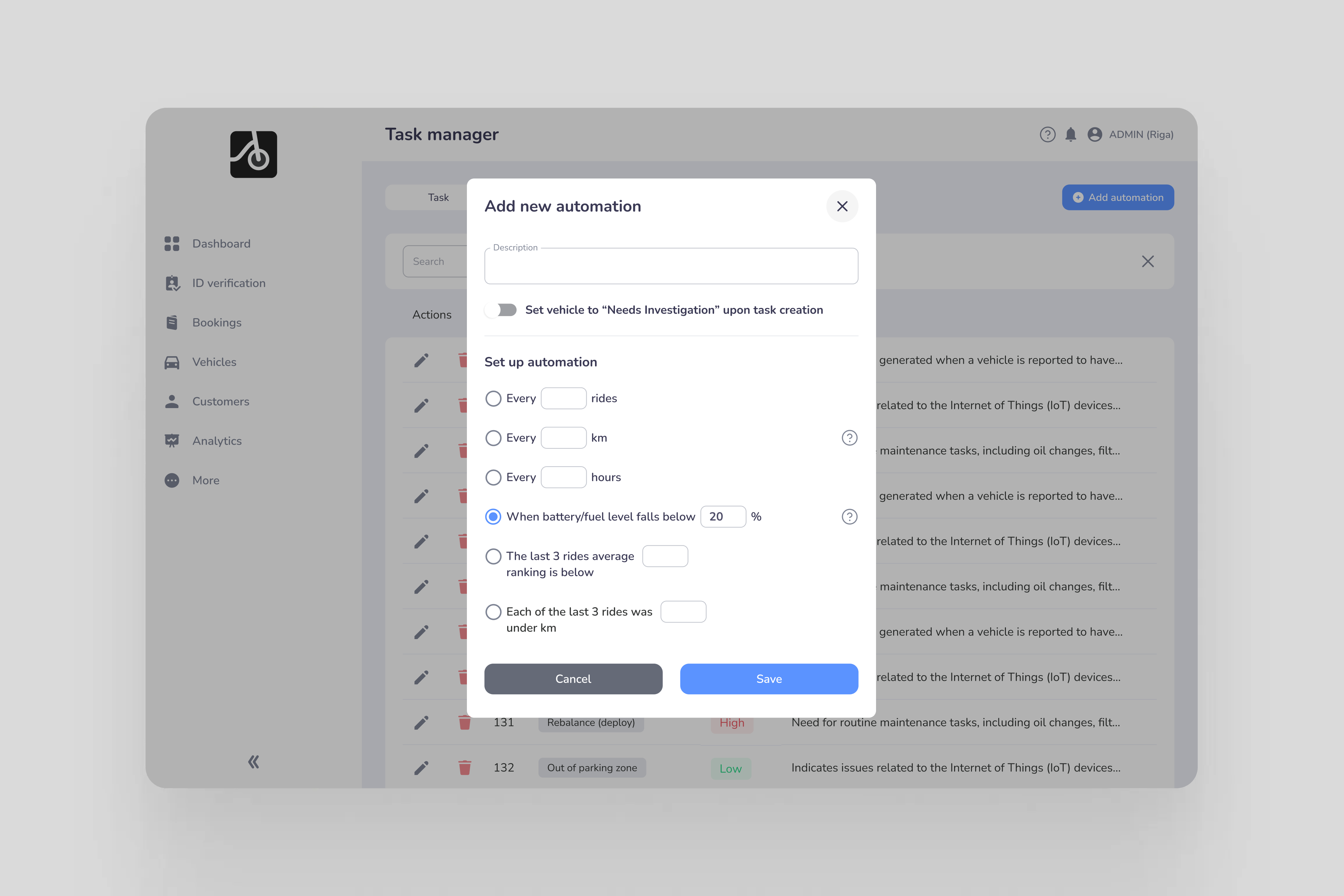
Operators can set simple service rules, such as:
When a vehicle reaches one of these limits, the system creates a task automatically. The vehicle can also be temporarily removed from booking until the service is done. This becomes especially important when operating in multiple cities, because it keeps safety standards consistent across the entire fleet.
Maintenance dashboards and task automation
A maintenance dashboard centralises alerts, open issues, and upcoming service requirements.
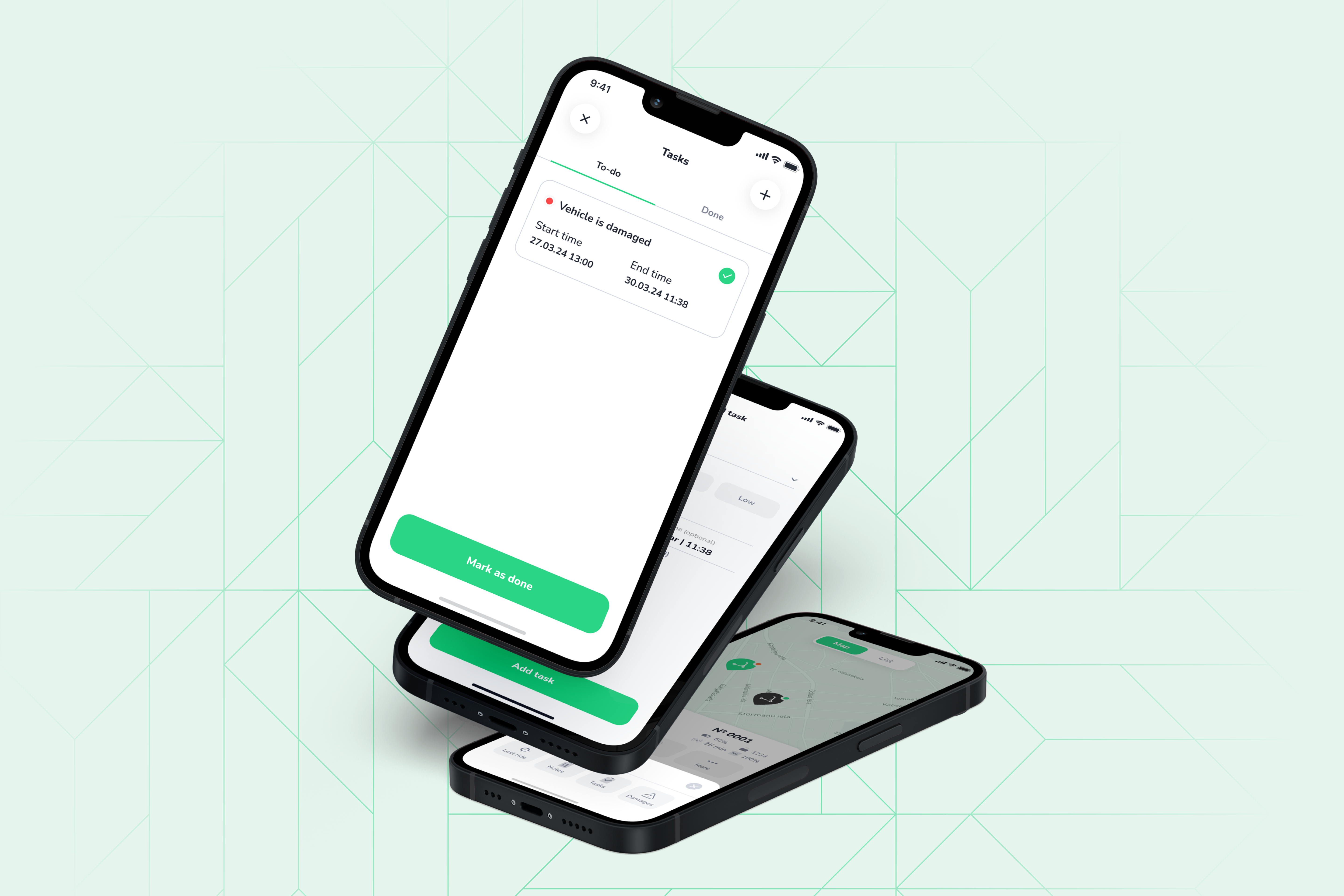
With structured task management, teams can assign jobs, set priorities, track resolution times, and analyse recurring issues. ATOM Mobility’s Task Manager feature enables operators to convert alerts directly into trackable actions within one system. Alerts that turn into tasks automatically make it clear what needs fixing and when it should be handled.
From reactive to predictive maintenance
With enough historical data, fleets can move beyond fixed intervals. Operators can identify patterns such as faster brake wear in specific models or higher damage rates in certain areas. Predictive maintenance allows servicing based on actual usage intensity, reducing unnecessary costs while preventing major failures.
For operators growing from 50 to 500 vehicles, automation delivers clear advantages:
Automation supports maintenance teams with clearer priorities and better data.
Building the right automation stack
Effective rental fleet maintenance automation typically requires:
When these components are connected, maintenance becomes scalable and controlled instead of reactive. This is especially important for operators running scooter, bike, car sharing, or rental businesses, where uptime directly impacts revenue and retention.
Rental fleet maintenance automation makes maintenance more organised and easier to manage as you grow. IoT telematics, automatic diagnostics, mileage alerts, and task dashboards help create clear processes that support expansion.
For rental and shared mobility operators who want to grow steadily, automating maintenance is essential. It helps keep operations stable and supports long-term profitability.
%20(1).jpg)
🚗 Choosing car sharing software? Look beyond the rider app. Our checklist covers what to test in a demo, from keyless access and fleet operations to costs and support for both car sharing and digital rental.
Choosing car sharing software is more than choosing an app where customers can find and unlock a car. The same system has to verify drivers, take payments, communicate with vehicles, handle problems during a trip, and give your team the tools to keep cars available. The difference between two platforms often becomes clear only when something goes wrong: a customer cannot unlock a car, a payment fails, a vehicle needs to be taken out of service, or an operator wants to introduce advance bookings alongside short trips.
If you are comparing providers, ask them to show how these situations work in the actual product. Here is what to check.
“Car sharing” can mean several different things. A free-floating service lets customers find a nearby car and end a trip within an allowed area. A station-based service may require them to return the car to a specific location. Corporate fleets, peer-to-peer services, and self-service rentals have different booking, access, and approval rules.
Write down how your service will work before requesting demos:
Ask the provider to configure these rules in a demo. A platform that supports “car sharing” in general may still require development to support your exact model.
The app needs to do more than display vehicles on a map. Follow one booking from the first app open to the final receipt. Check registration, ID and driver's licence verification, vehicle discovery, booking, payment authorisation, keyless access, trip extension, damage reporting, and trip completion.
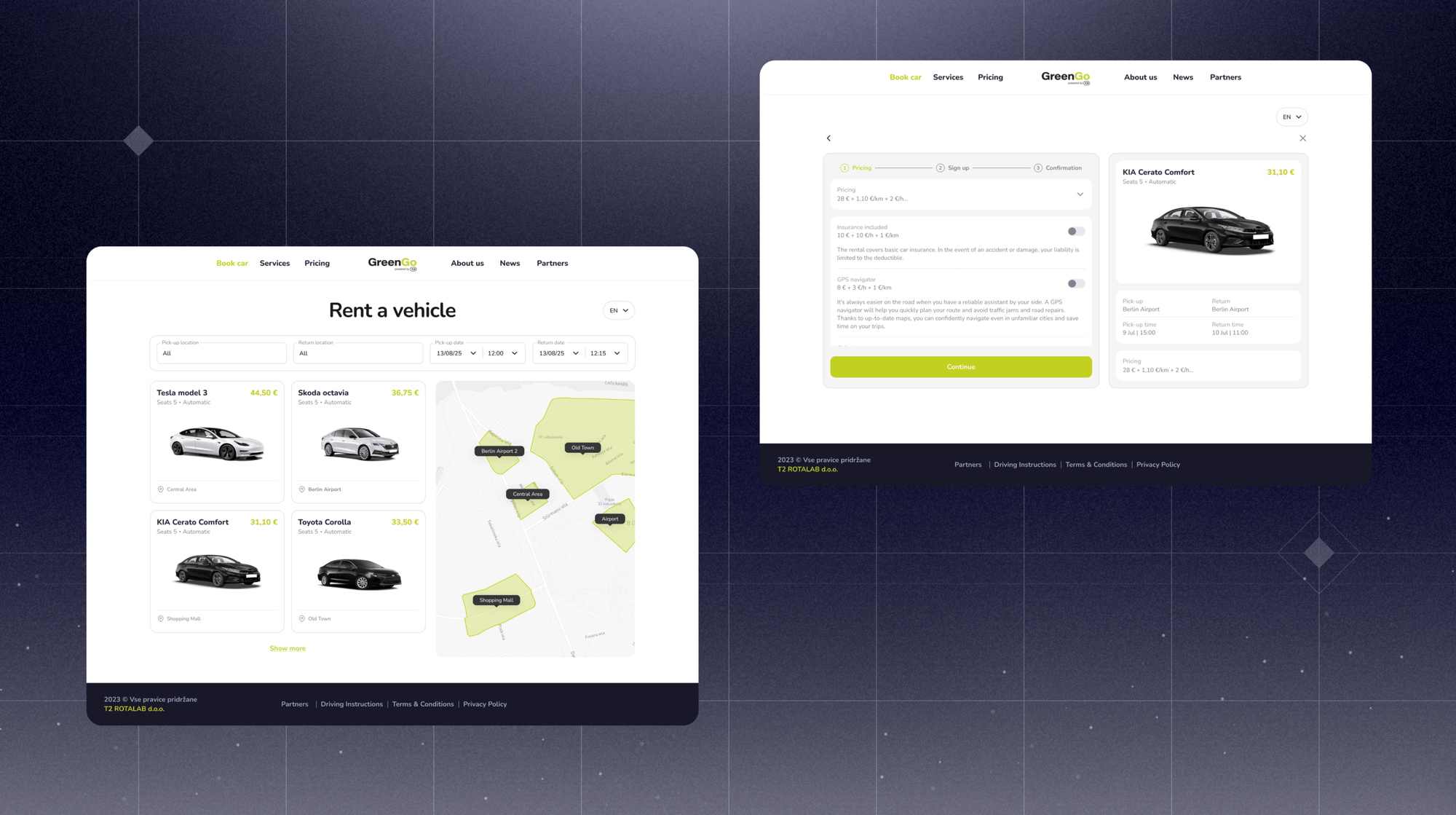
For advance rentals, check whether customers can book from your website as well as the app. Ask to see the complete web-to-app journey: selecting a vehicle and dates, confirming the reservation, and continuing to payment, licence verification, and vehicle access. Find out whether the website can complete the entire rental or whether customers must install the app after booking. ATOM Mobility's web-booker, for example, lets customers reserve on the web and then complete payment, and ID verification in the app.
Then test the exceptions. What does the customer see if verification fails, the car does not unlock, the vehicle is no longer available, or the payment cannot be collected? Can your support team see what happened and resolve it without contacting a developer?
This matters because customers judge the entire journey, including how quickly they can recover when a step fails.
Car sharing depends on reliable communication between the platform and the vehicle. Depending on the vehicle and hardware, this may include location, lock and unlock commands, mileage, fuel or battery level, and other status data. Ask for a list of supported telematics providers, rather than accepting a general statement that the platform is “hardware agnostic.” For your proposed fleet, establish:
Hardware flexibility is valuable when you expand or change suppliers, but the integration for the vehicles you plan to buy now is the first thing to verify.
The customer app gets the attention, but your team will spend much of its time in the management dashboard and operator tools. Ask a provider to show how staff:
Try these tasks with the roles your own team would use. The question is not only whether a feature exists, but how many manual steps it takes to run your fleet every day.
Car sharing and digital rental increasingly overlap. An operator might offer cars for short city trips and also accept bookings for a weekend. A rental business may begin with advance reservations and later add app-based, keyless access for shorter trips.
The technology shares many components, but the booking rules can differ. A rental may require advance pickup and return times, vehicle or category allocation, availability calendars, deposits, extensions, and different customer handover processes.
If you may operate both models, ask for a demonstration of both: an immediate hourly trip and an advance weekend booking. Check how the system prevents overlapping reservations, applies the correct pricing and deposit rules, and gives your team a clear view of availability. Also establish whether both models can use the same customer account and management setup, or whether additional products and fees are required.
ATOM Mobility supports vehicle sharing and digital rental on its platform. The useful question for any provider, including us, is how your exact combination of models would be configured and operated.
A low monthly licence fee can be attractive, but it may be only one part of the cost. Request a proposal that separates:
Launch, Setup, branding, app publication, migration, and training
Monthly minimums, fees per vehicle or booking, and included modules
Payment processing, refunds, deposits, and any additional transaction fees
Telematics hardware, installation, data plans, and new integrations
Ongoing work such as support level, custom development, and third-party services
Compare the likely cost at your launch fleet size and at a realistic larger fleet. Ask what happens if the fleet is seasonal or grows more slowly than planned.
Building in-house can make sense when a company has the engineering capacity and needs a customer experience or operating model that available platforms cannot support. It also means taking responsibility for project management, app updates, payments, vehicle integrations, security, monitoring, and support long after launch.
A white-label platform can shorten the route to market and spread that technical work across an established product. In return, you depend on the provider's supported features, integrations, development priorities, and service levels.
Slovenian car-sharing operator GreenGo initially spent two years developing its own app before switching to ATOM Mobility. Its experience shows why it is worth comparing the time and resources required to build with what an existing platform can already deliver. Read GreenGo's story: https://www.atommobility.com/blog/greengo-chooses-atom-mobility-to-power-its-electric-car-sharing-business
There is also a middle option: use a platform for core bookings, fleet management, and vehicle connectivity while building selected experiences or integrations yourself through APIs. If this is your plan, review the API documentation and confirm what your team can actually read, change, and automate.
Before signing, ask each shortlisted provider to demonstrate the same scenarios:
Use your intended vehicle models, payment markets, and operating rules in the discussion. For anything that cannot be shown, ask whether it is already available, needs configuration, requires paid development, or is only planned.
The best car sharing software is the one that supports your model reliably, gives your team control over daily operations, and leaves room for the business you intend to build next. A practical demo and a complete cost proposal will tell you more than a long feature list.
If you are evaluating car sharing alongside self-service rental, talk to ATOM Mobility about your fleet and operating model. We can show you how both models work on the platform and help you plan migration and scaling.
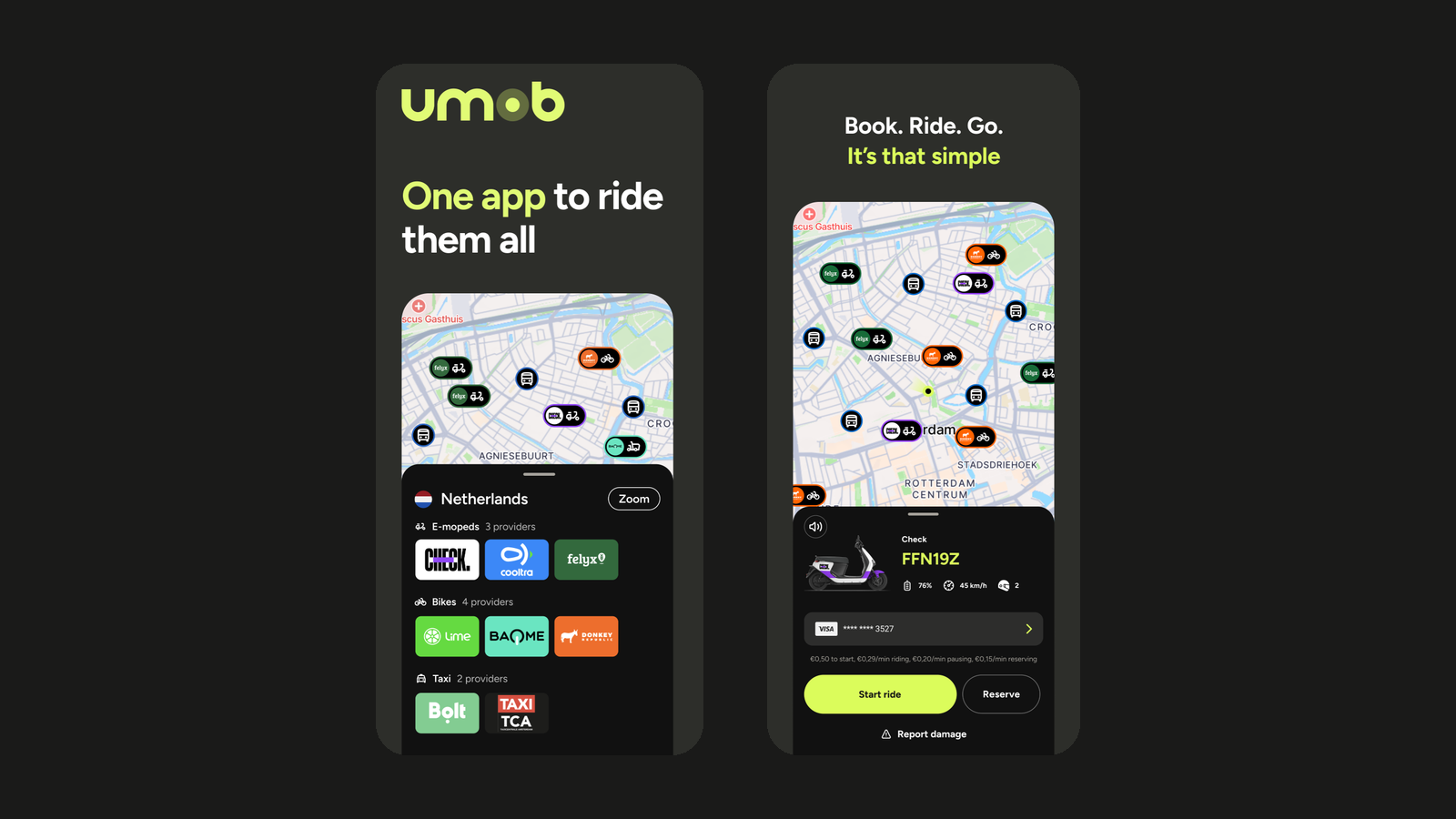
🌍 Reach more riders with ATOM Mobility and Umob. The integration gives shared mobility operators an additional distribution channel, helping attract new customers, generate more bookings and improve fleet utilization.
The future of mobility is not just about operating vehicles. It is about creating convenient journeys that bring different transportation options together in one simple customer experience.
That is why we are excited to highlight our partnership with Umob, helping mobility operators expand their reach and become part of a growing multimodal mobility ecosystem.
Whether you operate shared cars, scooters, bikes or mopeds through the ATOM Mobility platform, integrating with Umob allows your service to become accessible to thousands of Umob users looking for a convenient way to travel.
Today's users expect flexibility. They don't think in terms of individual mobility providers, they simply want the fastest, easiest, and most convenient route from A to B.
Umob brings different mobility providers and transport options together in one app. Users can find, compare, book and pay for different mobility options without having to download a separate app or create a new account for every provider.
By connecting your fleet to Umob, operators can:
For ATOM Mobility customers, the integration is designed to provide a straightforward way to unlock new distribution opportunities while continuing to manage their core operations through the ATOM Mobility platform.
Through the ATOM Mobility platform, participating operators can connect their fleets with Umob, enabling users to discover and use available vehicles directly through the Umob app.
Once connected, vehicles from participating operators can appear in Umob alongside other available mobility options, giving users one clear overview of the different ways they can get from A to B.
Users can discover an available vehicle, reserve and unlock it, start and end their ride, and pay directly through Umob.
The integration is designed to support:
Operators continue to manage their fleet, pricing, service areas and day-to-day operations through the ATOM Mobility platform, while Umob provides an additional channel through which users can discover and access their vehicles.
For mobility operators, connecting with Umob creates an additional distribution channel without changing the way they manage their day-to-day operations through ATOM Mobility.
By making vehicles available to thousands of Umob users, operators can increase their visibility at the moment people are actively looking for a ride. This creates the potential to attract new users, generate additional bookings and improve fleet utilization over time.
Every market is different, but many operators see MaaS partnerships as an important part of their long-term growth strategy.
One of the first ATOM Mobility operators to launch through the Umob integration is ZEUS Mobility, an ambitious European e-scooter sharing provider with a strong focus on innovation, a dynamic approach and challenging the established players in the market.
Fittingly, the partnership itself started through the ATOM Mobility network.
ZEUS and Umob first met at an ATOM Mobility event in Riga. While the initial introduction happened during the event, it was over drinks later that evening that the conversation really started.
ZEUS had already come across the Umob brand on mobility vehicles while travelling and had been impressed by the professional approach the company was taking. That recognition quickly turned into a conversation about how both companies could strengthen their propositions by working together.
From there, the integration moved forward quickly. ZEUS describes the preparation and integration process so far as “clean, professional and smooth.”
For ZEUS, the partnership creates an opportunity to strengthen the visibility of its brand, reach new customers and support its wider European growth ambitions.
Following its acquisition of Superpedestrian in May 2026, ZEUS is looking to accelerate its growth throughout 2026 and 2027, with the Umob partnership forming part of that ambition.
“ZEUS is thrilled to be partnering with Umob in European markets. Following our acquisition of Superpedestrian in May 2026, ZEUS is seeking to rapidly grow through 2026 and 2027. This partnership can help to drive this growth and reach new customers in new markets. We look forward to a rewarding partnership.” - Damian Young, ZEUS Mobility
One app to ride them all. Umob is an all-in-one mobility platform that brings different mobility providers and transport options together in one app.
Users can find, compare, book and pay for shared bikes, e-bikes, scooters, mopeds, public transport, taxis and other available mobility options through one account and one payment experience. Instead of downloading and registering with a separate app for every provider or every new city, users can open Umob and see the available mobility options around them.
Today, Umob is available in 28+ countries and 300+ cities, giving thousands of users an easier way to access different forms of mobility both at home and while travelling.
Key facts
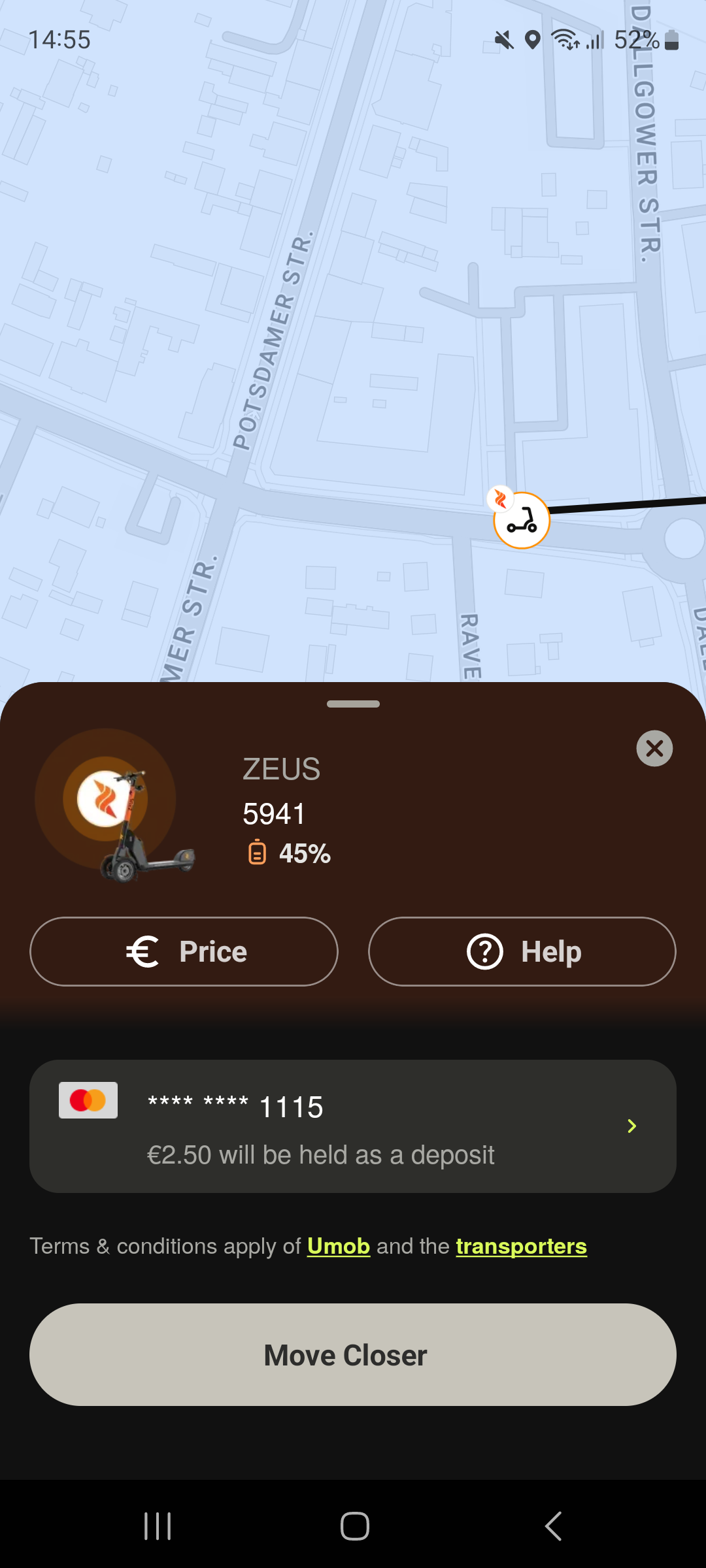
If you're already operating your shared mobility service on the ATOM Mobility platform, connecting with Umob could be the next step toward reaching more users and becoming part of a truly connected mobility ecosystem.
If you're interested in enabling the integration or learning more about how it works, get in touch with our team. We look forward to helping more operators connect, collaborate, and make sustainable mobility easier for everyone.
Use test credentials to log in - Phone number: +1 123123123, Code: 777777


Driver App demo credentials - Email: test@atom.com, Password: driver